30-Day Digital Detox Challenge: Daily Activities to Replace Screen Time [2026]
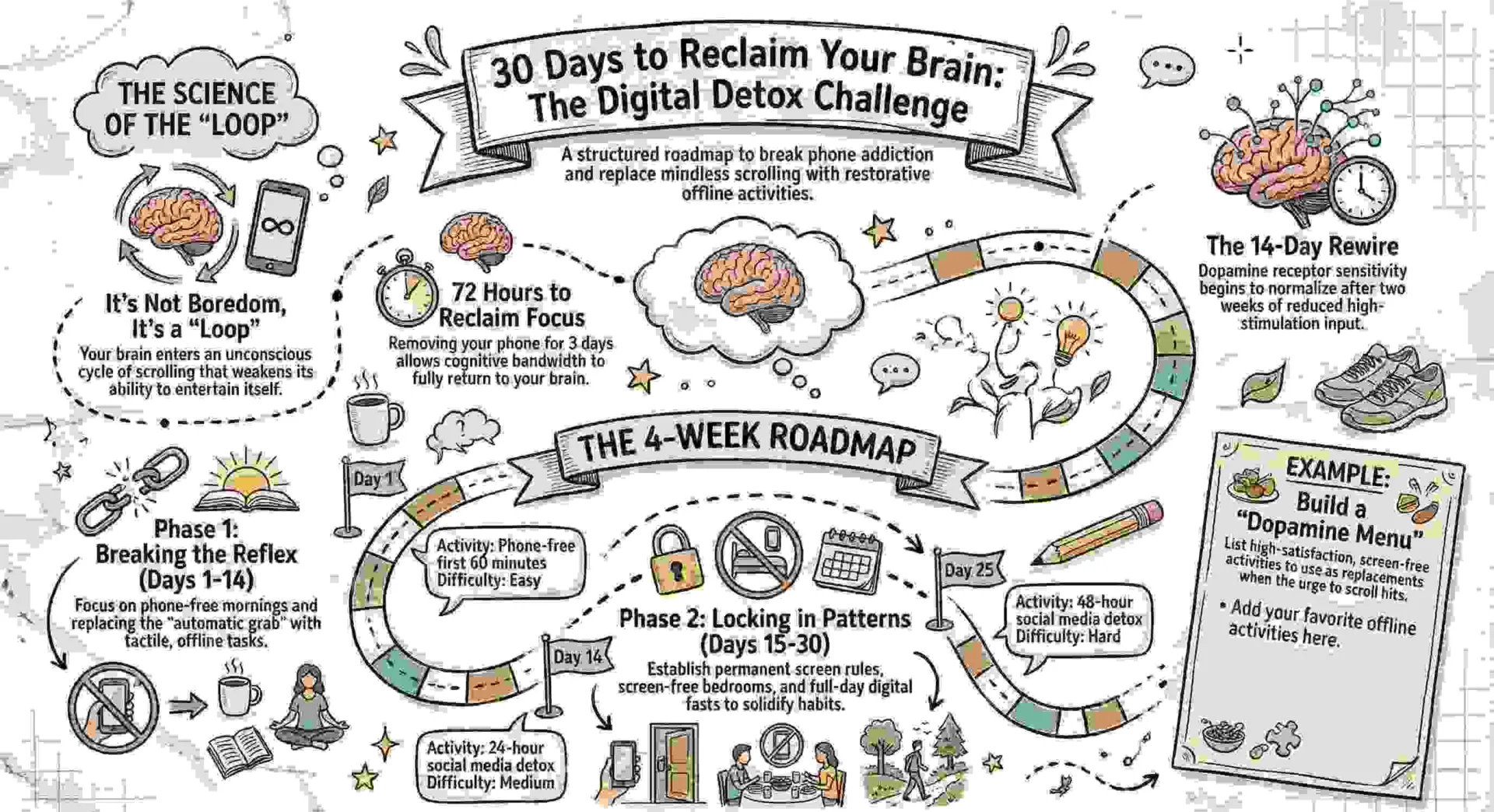
Quick answer: Building a 30-day digital detox challenge as a thing to do when bored
Be honest. How many times have you picked up your phone in the last hour without a reason? You weren’t looking for anything specific. You just picked it up because your brain didn’t know what else to do. Then you scrolled for 15 minutes, put it down, felt nothing, and picked it up again five minutes later.
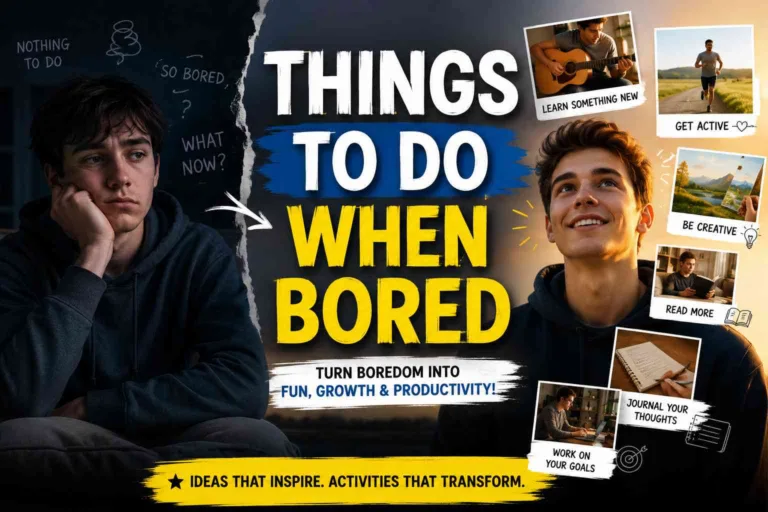
That’s not boredom. That’s a loop. And every time you complete it, your brain gets a tiny bit worse at entertaining itself without a screen. So first of all explore things to do when bored which explain basics of boredom psychlogically.
A digital detox isn’t about throwing your phone in a river or going off-grid for a month. It’s about breaking the automatic reach — that unconscious grab for the screen the moment your brain registers even three seconds of empty time. This 30-day challenge gives you one specific screen-free activity per day. Not vague advice. Not “try to use your phone less.” An actual thing to do, each day, that replaces the scroll with something your brain and body will genuinely thank you for.
You can start any day. You don’t need an app. You don’t need to buy anything. You just need 30 days and a willingness to feel a little uncomfortable for the first week. After that, something shifts — and most people never go back to the old pattern.
This guide is part of our completeThings to Do When Boredmaster library — 1,000+ activities across 49 guides covering every mood, place, and season.
What Is a Digital Detox? (And What It Isn’t)
A digital detox is a period where you intentionally reduce or eliminate unnecessary screen time to reset your relationship with technology. The key word is “unnecessary.” Nobody is asking you to stop using your phone for work, GPS, or emergencies. The goal is cutting the mindless consumption — the doomscrolling, the autoplay rabbit holes, the reflexive checking that happens 80+ times a day for the average American.
What a digital detox is NOT: it’s not a dopamine detox (that’s a different concept), it’s not punishment, and it’s not realistic if it asks you to go cold turkey without giving you something better to do instead. That’s why this challenge pairs every single day of reduced screen time with a specific replacement activity. Your brain needs stimulation. We’re just changing the source.
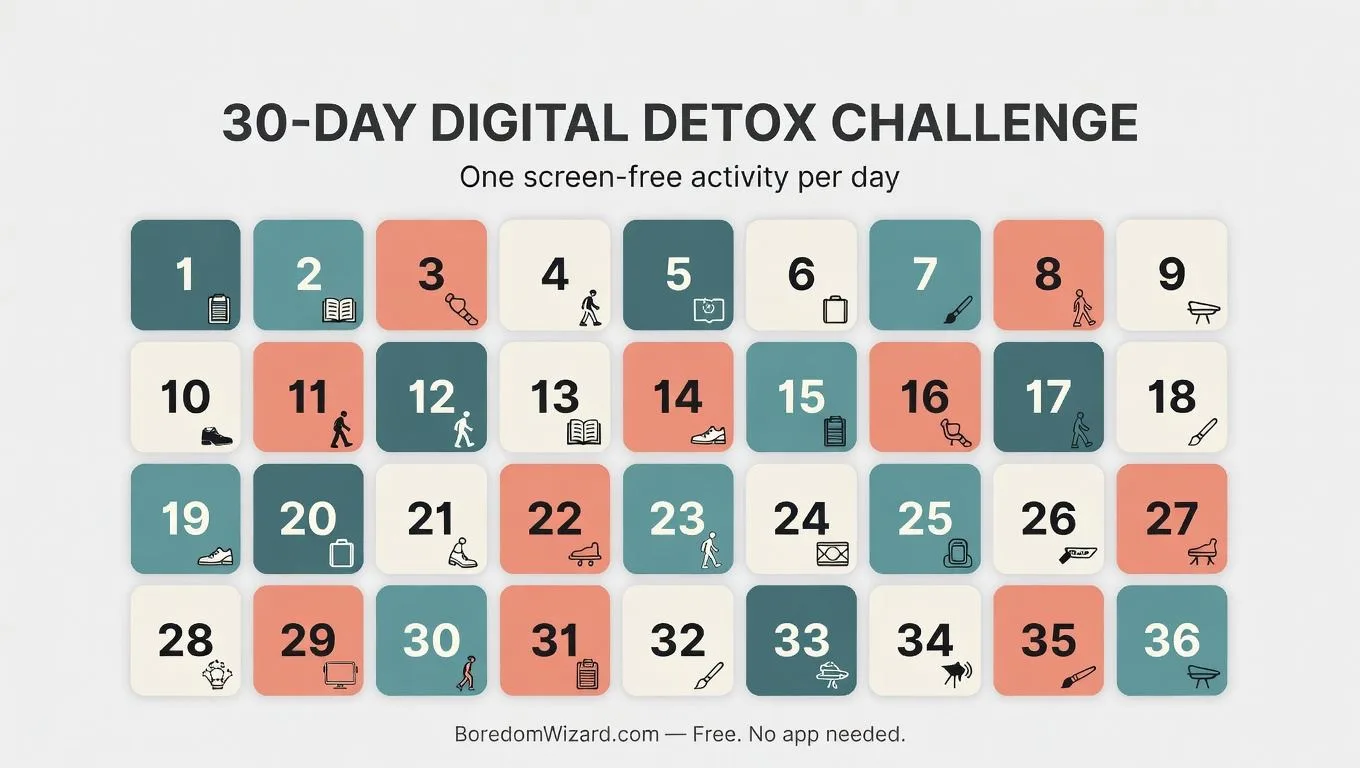
The 30-Day Digital Detox Challenge — One Activity Per Day
Each day has one specific activity. Do it instead of your usual scroll session. Some days are easy. Some will feel uncomfortable. That discomfort is your brain rewiring itself — and it passes faster than you think.
Week 1 — Breaking the Reflex (Days 1–7)
The first week is about interrupting the automatic phone grab. Your brain will resist. That’s normal. These activities are deliberately simple so the barrier to starting is as low as possible.
Day 1 — Phone-Free Morning. Don’t touch your phone for the first 60 minutes after waking up. Instead, make coffee or tea slowly, look out a window, and just sit with the quiet. This single habit change is the most impactful tip for reducing screen time that exists because it stops the scroll-first pattern before it begins.
Day 2 — Walk for 20 Minutes Without Headphones. Leave your phone at home or put it on airplane mode. Walk with no music, no podcast, nothing. Just your thoughts and the sounds around you. This is how to stay off your phone when boredom hits outdoors — by proving your brain can handle unstimulated time.
Day 3 — Write One Full Page by Hand. About anything. Your day. A memory. A complaint. A dream. Handwriting activates different brain pathways than typing and forces a slowness that screens never allow.
Day 4 — Cook a Meal From Scratch Without Looking at Your Phone. Use a printed recipe or memorize the steps beforehand. Cooking with full sensory engagement — touch, smell, taste, timing — is one of the best phone detox activities because it occupies every channel your brain usually fills with scrolling. For recipe ideas, our guide on [27 Things to Cook When Bored] has options sorted by time and difficulty.
Day 5 — Read a Physical Book for 30 Minutes. Not a Kindle. Not an audiobook. Paper pages held in both hands. Extended linear reading rebuilds the attention span that fragmented screen consumption destroys. If you need a pick, [51 Books to Read When Bored] has recommendations by mood and genre.
Day 6 — Do a Full Body Stretch Routine (15 Minutes). Follow along from memory or print instructions beforehand. Stretching reconnects you with your physical body — something screens make us forget we even have. Our [37 Exercises to Do When Bored] guide has full routines that need zero equipment.
Day 7 — Spend One Hour in a Public Place Without Taking Your Phone Out. A cafe, a park, a library. Sit and observe. People-watch. Daydream. This is the hardest day of Week 1 for most people, and completing it is the first real proof that you don’t actually need the screen — you just thought you did.
Week 2 — Replacing the Habit (Days 8–14)
By now the automatic grab should be slightly weaker. Week 2 builds new neural pathways by introducing activities that provide genuine satisfaction — the kind scrolling always promises but never delivers.
Day 8 — Reorganize One Area of Your Home. A drawer, a shelf, a closet section. The visible before-and-after gives your brain the completion reward it craves without any screen involvement.
Day 9 — Learn Something New for 30 Minutes (Offline). Pick a topic. Go to a library, open an encyclopedia, or use a printed resource. The goal is learning without a browser tab — experiencing how to detox from technology while still feeding your curiosity.
Day 10 — Write a Handwritten Letter to Someone You Care About. Actual pen, actual paper, actual envelope. Mail it. In a world of instant messages, receiving a handwritten letter is so rare it becomes unforgettable.
Day 11 — Sit Outside for 30 Minutes and Do Nothing. No book, no music, no activity. Just you and the air. This is digital fasting at its purest — allowing your brain to experience genuine unstructured time without reaching for a stimulus.
Day 12 — Do a Creative Activity You Haven’t Tried Before. Draw, paint, collage, knit, build, sculpt — anything that uses your hands to make something that didn’t exist before you sat down. Creativity is the original dopamine source. Screens just borrowed the mechanism.
Day 13 — Have a Face-to-Face Conversation That Lasts Over 30 Minutes. Call someone and talk — actually talk, not text. Or meet someone in person. Real social connection is one of the most powerful social media detox benefits because it reminds your brain what genuine human interaction feels like compared to the simulated version.
Day 14 — Full 24-Hour Social Media Detox. Delete nothing. Just don’t open any social media app for one full day. Log out if needed. Notice what your brain does when it can’t check. That restless feeling? That’s the habit talking. It passes. And when it does, what’s left is surprisingly peaceful.
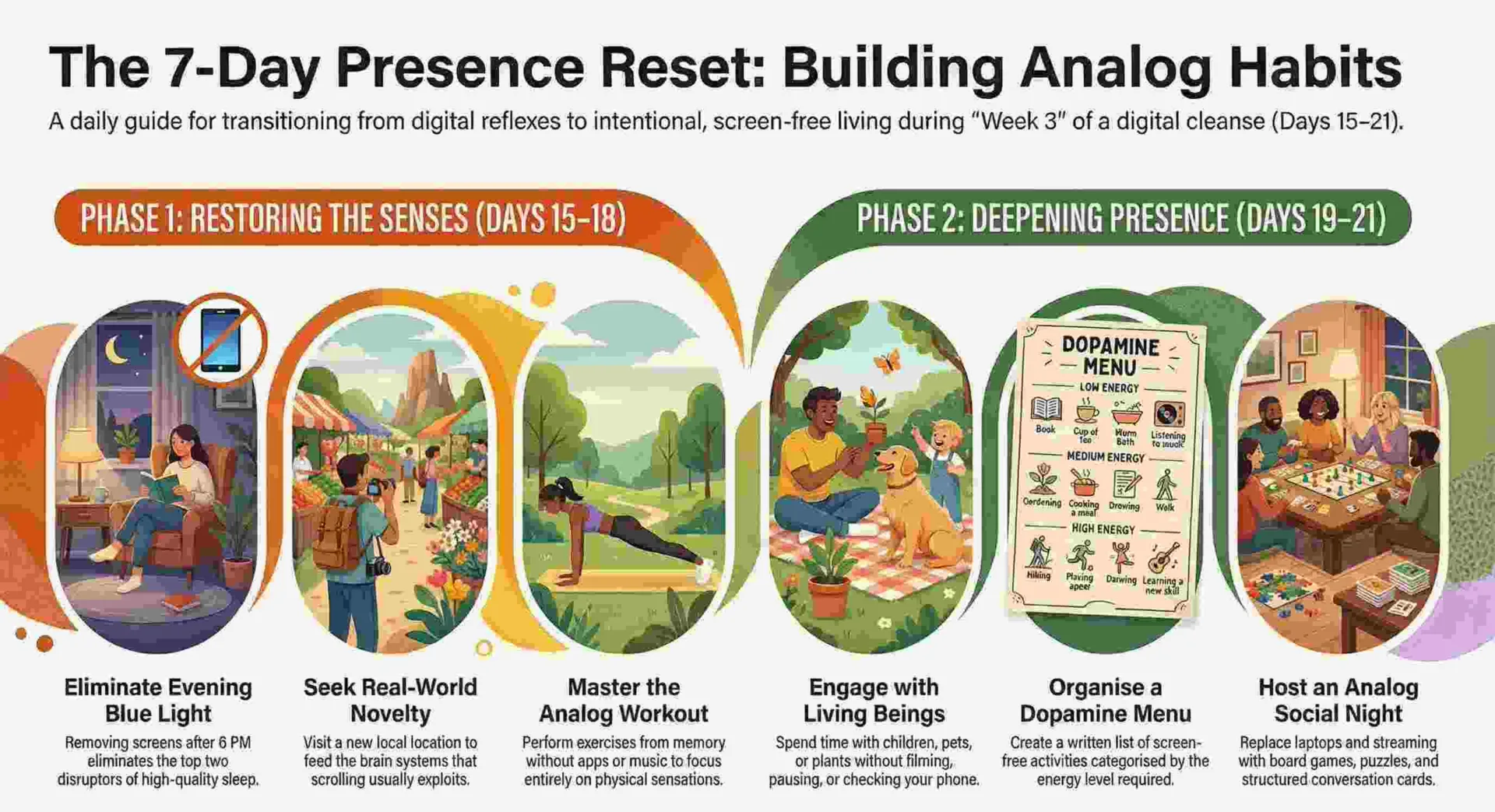
Week 3 — Building New Patterns (Days 15–21)
The halfway point. By now you should notice that reaching for your phone feels like a choice, not a reflex. Week 3 deepens the new patterns and expands what screen-free time feels like.
Day 15 — Screen-Free Evening. From 6 PM onward, no screens. Cook dinner, eat without a show playing, read, talk, play a card game, go for an evening walk. This single practice transforms sleep quality because blue light and stimulating content before bed are the top two disruptors.
Day 16 — Visit Somewhere New Within 30 Minutes of Home. A park, a neighborhood, a shop, a trail you’ve never walked. Novelty feeds the same brain system that scrolling exploits — but the real-world version leaves you feeling expanded instead of drained.
Day 17 — Journal for 20 Minutes About What You’ve Noticed So Far. What’s changed? What’s harder? What’s surprisingly better? Documenting your digital cleanse progress makes the invisible benefits visible and strengthens your commitment for the remaining two weeks.
Day 18 — Do a Full Workout Without Any Screen. No YouTube video, no fitness app, no music from your phone. Bodyweight exercises from memory — push-ups, squats, lunges, planks. Focus entirely on your body’s sensations. This is how to get rid of screen time during activities that normally depend on it.
Day 19 — Spend Time with a Child, Pet, or Plant. Presence with a living thing that can’t be scrolled past or paused. Water a plant carefully. Play with a dog without filming it. Build blocks with a kid without checking your phone once.
Day 20 — Create a Dopamine Menu. Take everything you’ve discovered these 20 days about what genuinely makes you feel good without a screen. Write it on paper. Organize it by energy level. Put it where you can see it. This becomes your permanent replacement system long after the 30 days end.
Day 21 — Analog Entertainment Night. Board games, card games, puzzles, drawing, cooking together, conversation with question cards. An entire evening of entertainment with zero screens involved. This is especially effective as a digital detox activity for students who spend all day on laptops.
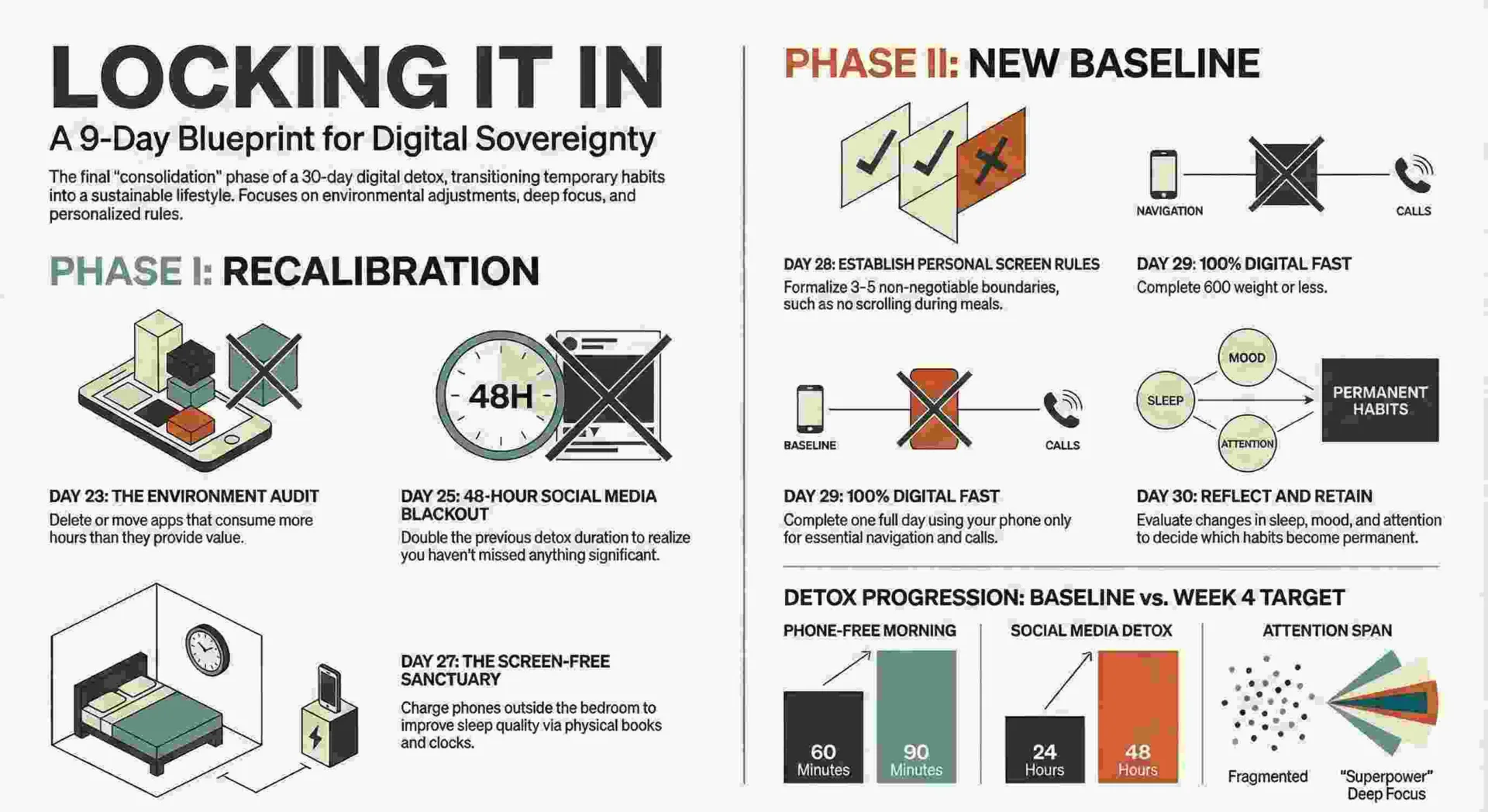
Week 4 — Locking It In (Days 22–30)
The final stretch. These days consolidate what you’ve built and help you design a sustainable relationship with screens that lasts beyond the challenge.
Day 22 — Morning Routine Without Phone (Again, But Longer). Extend to 90 minutes. You did 60 on Day 1. Notice how much easier it is now. That’s your brain’s new baseline.
Day 23 — Audit Your Apps. Open your phone’s screen time data. Look at which apps consumed the most hours. Delete or move to a folder any app that took more than it gave. This is the most practical step in any phone detox plan because it changes your environment, not just your willpower.
Day 24 — Teach Someone One Thing You Learned This Month. Share a recipe, a stretch, a journaling technique, a book recommendation. Teaching solidifies your own learning and gives the digital detox a social ripple effect.
Day 25 — 48-Hour Social Media Detox. You did 24 hours on Day 14. Now double it. Two full days without social media. Most people report this as the day the challenge truly clicks — when you realize you didn’t miss anything that mattered.
Day 26 — Spend an Entire Afternoon on One Single Activity. Cooking a complex meal. Reading 100 pages. Painting. A long hike. Sustained attention on one thing for hours is the skill that screen culture erodes most aggressively. Rebuilding it feels like getting a superpower back.
Day 27 — Screen-Free Bedroom. Charge your phone outside your bedroom tonight. Use an actual alarm clock. Read a physical book before sleep. This one habit, maintained permanently, improves sleep more than any supplement or mattress upgrade.
Day 28 — Write Your Personal Screen Rules. Based on everything you’ve experienced, write three to five personal rules you want to keep after the challenge ends. Examples: no phone for the first hour, no social media after 8 PM, no eating while scrolling. These are yours — nobody else’s.
Day 29 — Full Day Digital Detox. One complete day. No social media, no mindless browsing, no YouTube rabbit holes. Use your phone only for calls and navigation. Fill the day with your dopamine menu activities. You’ve been building toward this for 28 days. You’re ready.
Day 30 — Reflect and Decide What Stays. Write down what changed over 30 days. Your sleep, your mood, your attention span, your boredom tolerance, your relationships. Then decide which habits you’re keeping permanently. The challenge ends today. The new relationship with your screen doesn’t have to.
⚡ Quick-Reference: The 30-Day Challenge at a Glance
| Day | Activity | Time | Difficulty |
| 1 | Phone-free first 60 minutes | 60 min | Easy |
| 2 | Walk without headphones | 20 min | Easy |
| 3 | Write one page by hand | 15 min | Easy |
| 4 | Cook without phone | 45 min | Easy |
| 5 | Read a physical book | 30 min | Easy |
| 6 | Full body stretch routine | 15 min | Easy |
| 7 | One hour in public, no phone | 60 min | Medium |
| 8 | Reorganize one area of home | 30 min | Easy |
| 9 | Learn something offline | 30 min | Easy |
| 10 | Write a handwritten letter | 20 min | Easy |
| 11 | Sit outside doing nothing | 30 min | Medium |
| 12 | Try a new creative activity | 45 min | Easy |
| 13 | 30-minute real conversation | 30 min | Easy |
| 14 | 24-hour social media detox | All day | Medium |
| 15 | Screen-free evening (6 PM+) | 5 hrs | Medium |
| 16 | Visit somewhere new nearby | 60 min | Easy |
| 17 | Journal about your progress | 20 min | Easy |
| 18 | Workout with zero screens | 30 min | Medium |
| 19 | Quality time with a living thing | 30 min | Easy |
| 20 | Create your dopamine menu | 20 min | Easy |
| 21 | Analog entertainment night | 3 hrs | Easy |
| 22 | 90-min phone-free morning | 90 min | Easy |
| 23 | Audit and clean up your apps | 20 min | Easy |
| 24 | Teach someone something | 15 min | Easy |
| 25 | 48-hour social media detox | 2 days | Hard |
| 26 | One activity for a full afternoon | 3+ hrs | Medium |
| 27 | Screen-free bedroom | Night | Easy |
| 28 | Write your personal screen rules | 15 min | Easy |
| 29 | Full day digital detox | All day | Hard |
| 30 | Reflect and decide what stays | 30 min | Easy |
Can 3 Days Without a Phone Reset Your Brain?
This is one of the most-searched questions about digital detox, and the honest answer is: partially, yes.
Research from the University of Texas found that even having your phone visible on a desk reduces cognitive capacity — your brain spends energy resisting the urge to check it. Removing the phone entirely for 72 hours allows that cognitive bandwidth to fully return. People consistently report better focus, less anxiety, and improved mood within three days of significantly reduced screen time.
However, a true neurological reset takes longer. Dopamine receptor sensitivity — the mechanism behind how to break a phone addiction at the brain level — begins to normalize after about two weeks of reduced high-stimulation input. That’s why this challenge is 30 days, not 3. The first three days break the surface habit. The remaining 27 rebuild the deeper patterns.
Tips for Actually Completing the Challenge
Start on a Monday. The weekday structure helps during Week 1 when the habit is strongest. Weekends without scrolling feel harder — save those for Week 2 and beyond when you’ve built momentum.
Tell one person you’re doing it. Accountability is the single biggest predictor of completion. Text a friend: “I’m doing a 30-day screen detox. Check on me.” That’s it. How to limit screen time becomes dramatically easier when someone else knows you’re trying.
Don’t aim for perfection. If you scroll on Day 11, you haven’t failed. You just had a Day 11. Pick up Day 12 normally. The goal is a trend, not a streak.
Replace, don’t remove. Every time you feel the pull to scroll, check your dopamine menu or this challenge calendar. The urge to reach for your phone isn’t bad — it’s just your brain asking for stimulation. Give it better stimulation. That’s the entire philosophy behind how to reduce screen time sustainably.
Track your screen time numbers. Check your phone’s built-in screen time tracker at the start of the challenge and again at the end. Seeing the actual hours reclaimed makes the benefits of reduced screen time concrete rather than abstract.
❓ Frequently Asked Questions
Q: What is the digital detox challenge activity? A: It’s a structured 30-day program where you complete one specific screen-free activity per day — from phone-free mornings to full-day digital fasts — progressively building a healthier relationship with technology.
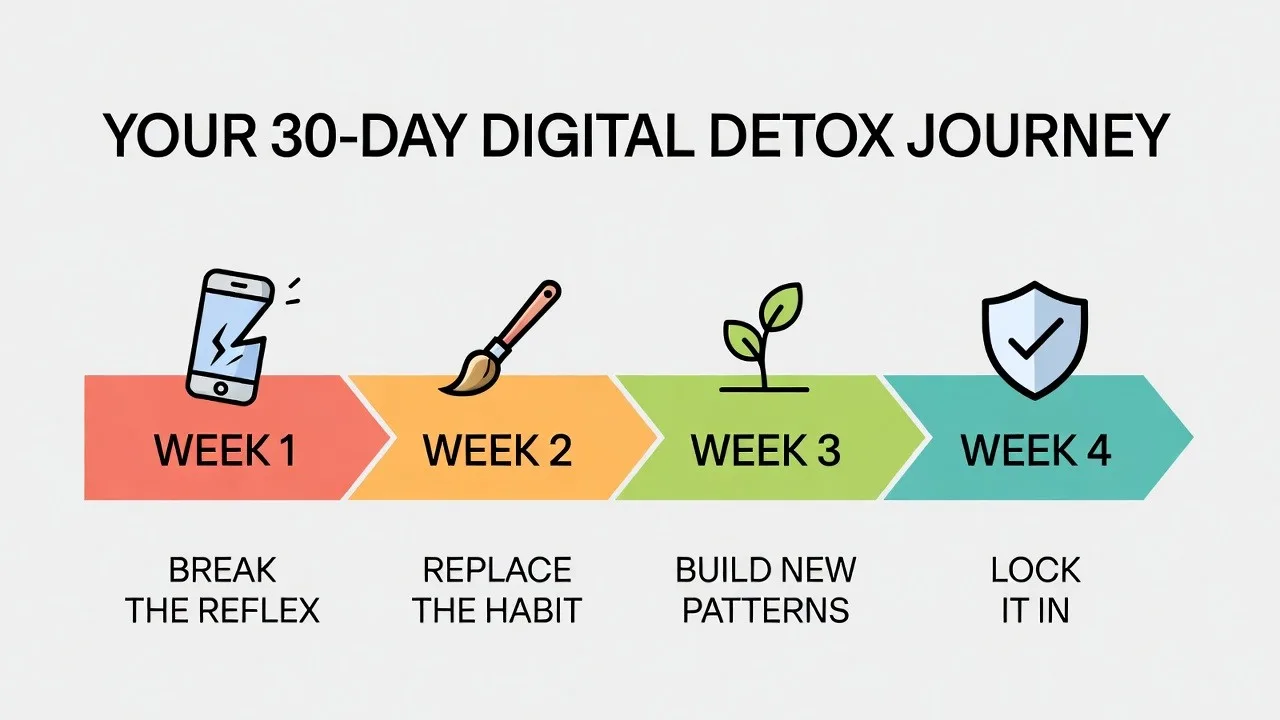
Q: What is the 30 day screen detox challenge? A: A four-week program that moves through four phases — breaking the phone reflex, replacing the scrolling habit, building new screen-free patterns, and locking in permanent changes with daily activities that replace mindless screen time.
Q: Can 3 days without phone reset brain? A: Partially. Three days restores cognitive bandwidth and reduces phone-checking anxiety. But full dopamine receptor normalization takes about two weeks of reduced screen stimulation, which is why the complete challenge runs 30 days.
Q: How to break a phone addiction? A: Start by tracking your current screen time, then systematically replace your highest-consumption apps with offline activities. The 30-day challenge in this guide gives you a specific replacement activity for every day so you never face an empty gap with nothing to do.
Q: What are digital detox activities for students? A: Students benefit most from analog study sessions, handwritten notes, phone-free library time, in-person study groups, and screen-free evenings. Days 5, 9, 18, and 21 of this challenge are especially relevant for how to reduce screen time as a student.
Q: Is there a digital detox challenge app? A: Several apps exist (like Opal, One Sec, and Forest), but the irony of using a phone app to reduce phone use is worth noting. This challenge requires no app — just this page and a willingness to try.
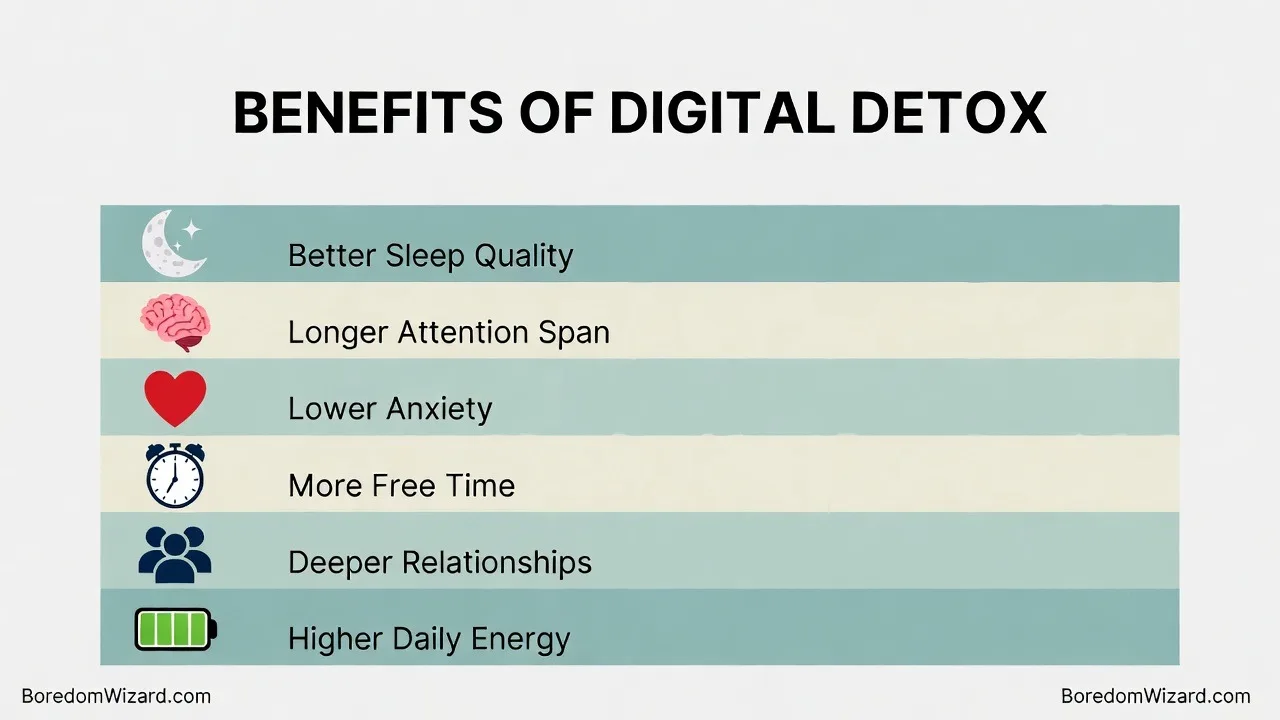
Q: What are social media detox benefits? A: Reduced anxiety, better sleep, improved self-esteem, more free time, deeper in-person relationships, and better attention span. Most people notice measurable mood improvements within the first week of a social media detox.
Q: How to stay off your phone when bored? A: The key is having an alternative ready before boredom hits. Build a dopamine menu with pre-chosen activities so your brain has somewhere to go besides the screen. Our complete library of Things to Do When Bored has 1,000+ options organized by mood and energy level.
More Boredom Wizard Guides
By Location: [Things to Do When Bored at Home: 50+ Creative Ideas That Actually Work] · [20 Things to Do When Bored in Your Room] · [20 Things to Do When Bored at Work] · [20 Things to Do When Bored at School] · [50 Things to Do When Bored in Class] · [20 Things to Do When Bored in a Waiting Room] · [25 Things to Do When Bored in a Car] · [30Things to Do When Bored on a Plane] · [30 Things to Do When Bored on Computer]
By Season: [50 Things to Do When Bored in Summer] · [50 Things to Do When Bored in Winter] · [30 Things to Do in Fall When Bored] · [20 Things to Do When Bored in Spring] · [50 Things to Do When Bored on a Rainy Day] · [52 Things to Do on a Snow Day When Bored] · [25 Things to Do When Bored During Holiday]
By Who You Are: [Things to Do When Bored for Adults] · [Things to Do When Bored for Teens] · [Things to Do When Bored for Kids] · [Things to Do When Bored: College Student Edition] · [Things to Do When Bored: Stay-at-Home Mom Edition] · [Things to Do When Bored After Retirement]
By Situation: [Things to Do When Bored by Yourself] · [Things to Do When Bored Alone] · [Things to Do When Bored with Friends] · [25 Things to Do at a Friend’s House] · [Things to Do at a Sleepover] · [50 Things to Do When Bored on Weekends] · [25 Things to Do When Bored at Night] · [37 Things to Do When Tired and Bored] · [20Productive Things to Do When Bored and Sick] · [49 Things to Do When Feeling Depressed and Bored] · [49 Things to Do Instead of Doomscrolling] · [29 Things to Do When Feeling Narcoleptic and Bored] · [37 Exercises to Do When Bored] · [53 Home Decor Ideas to Explore When Bored].[Books to read when bored].[Things to do cook when bored].[Fun things to do when bored].[Personal care products to explore when bored].[Tattoo ideas to explore when feeling bored and doomscrolling]. [Upcoming Car Models to explore when feeling bored].[Things to do when bored with no money]. [Things to do when bored with ADHD].[Things to do when bored after breakup]. [Things to do when bored working from home].[Things to do when bored on phone]. [Things to do when bored and anxious]. [How to build a Dopamine Menu When Bored].
Written by Natty O Lewis, Wellness Coach and founder of BoredomWizard.com. This challenge is informed by behavioral research from the University of Pennsylvania’s digital wellness studies, the Journal of Social and Clinical Psychology. It is designed as a lifestyle tool — not medical advice. If you’re experiencing clinical symptoms of depression, anxiety, or addiction, please consult a qualified mental health professional.