How to Build a Dopamine Menu When Bored (Step-by-Step Guide for 2026)
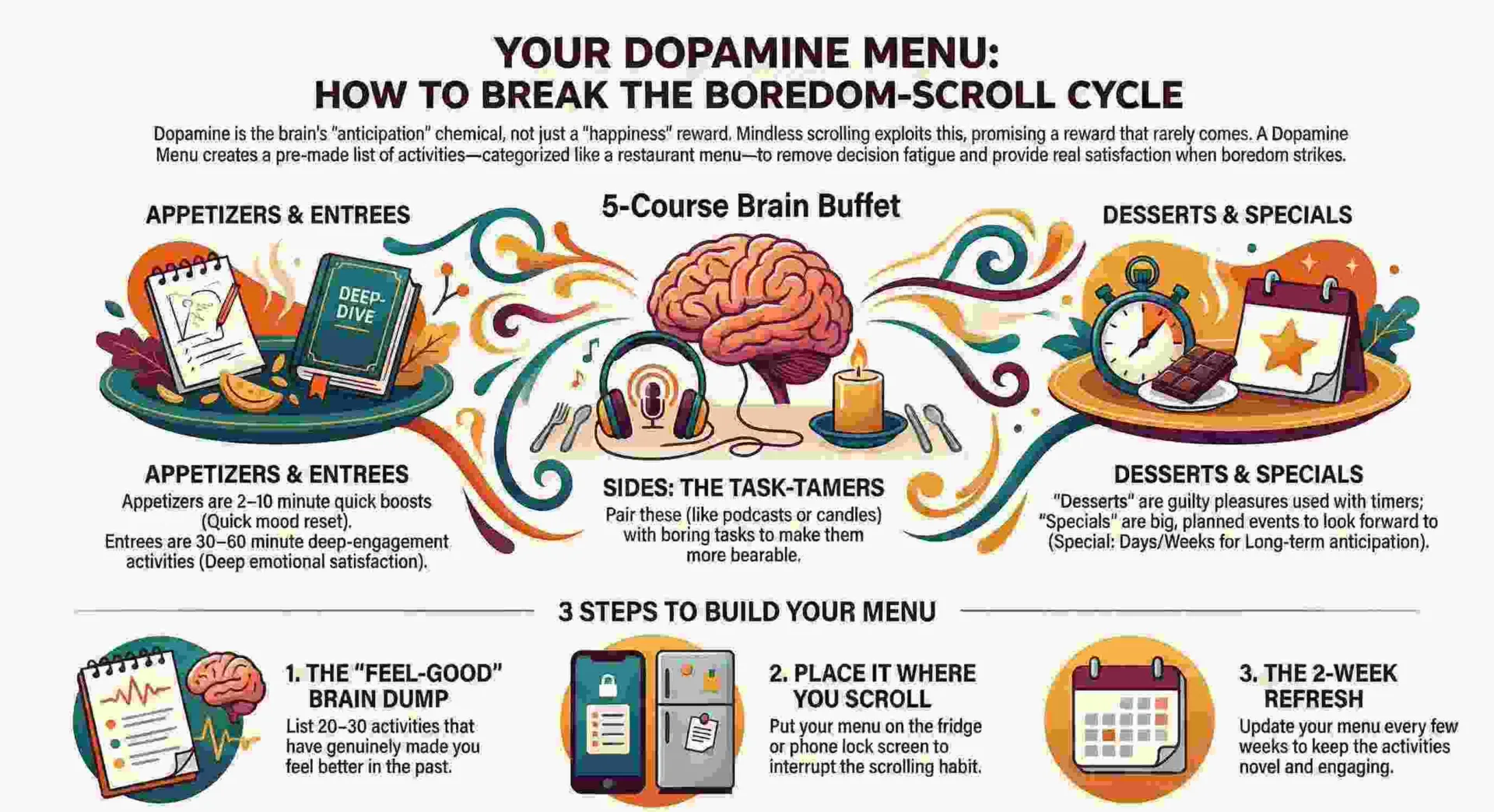
How to build a dopamine menu when bored, this question is worth focusing on when your phone is in your hand. You open an app. Scroll for 20 minutes. Close it. Feel worse. Open another app. Repeat. The cycle does not cure boredom. It deepens it. Each scroll gives you a micro-hit of dopamine — the neurotransmitter that powers your brain’s pleasure and reward systems — but the hits are so small and so fast that your brain adjusts downward. The baseline drops. Normal activities stop feeling stimulating. The scroll becomes the only thing that registers. This is the dopamine trap, and a dopamine menu is the exit. But before this must explore this “things to do when bored“.
A dopamine menu is a pre-built, personalized list of pleasurable healthy activities organized by effort level — from 2-minute quick hits to 2-hour deep engagements — that you consult instead of defaulting to your phone when boredom, restlessness, or low motivation strikes. It works because it removes the decision-making that boredom makes impossible and replaces the question “what should I do?” with a curated set of answers you already chose when your brain was functioning.
Jessica McCabe from How to ADHD on YouTube popularized the concept for ADHD brains, and ADDitude Magazine published the framework that most dopamine menu guides reference. But here is what most guides miss: dopamine menus are not just for ADHD. They are for any brain that has been trained by infinite scrolling to seek the easiest dopamine available instead of the most satisfying. If you are bored in 2026 and your default response is to open your phone, you need a dopamine menu. This guide shows you how to build one in 30 minutes.
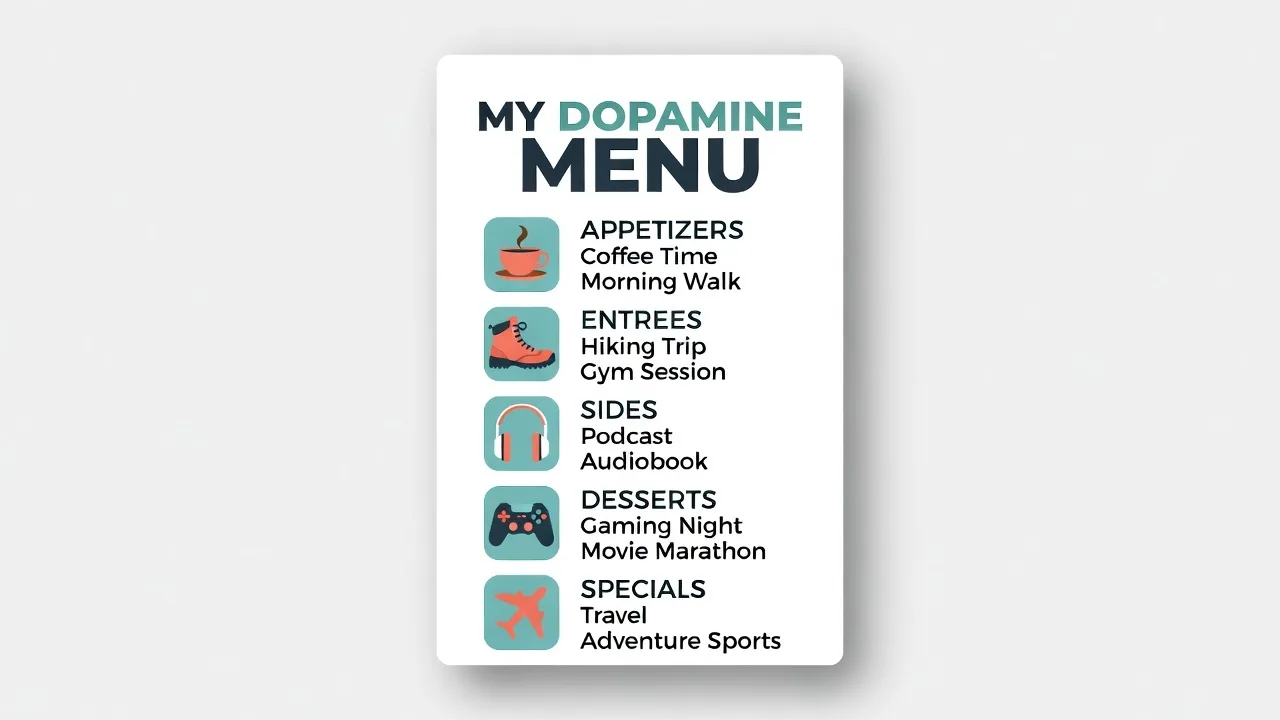
What Is a Dopamine Menu and Why Does It Work?
A dopamine menu is a physical or digital list of activities you enjoy, organized by the amount of effort and time they require, that you consult when you are bored instead of making decisions in real time.
Dopamine is a neurotransmitter that regulates motivation, reward, and pleasure. When you do something rewarding — finish a task, eat a good meal, learn something new, exercise, create something — your brain releases dopamine. That release is what makes the activity feel satisfying and makes you want to do it again. The problem in 2026 is that the easiest dopamine sources (social media, TikTok, Instagram, Netflix, Reddit) have trained your brain to expect reward without effort. Your dopamine baseline has adjusted. Activities that used to feel interesting — reading, cooking, walking, talking to a friend — now feel flat by comparison.
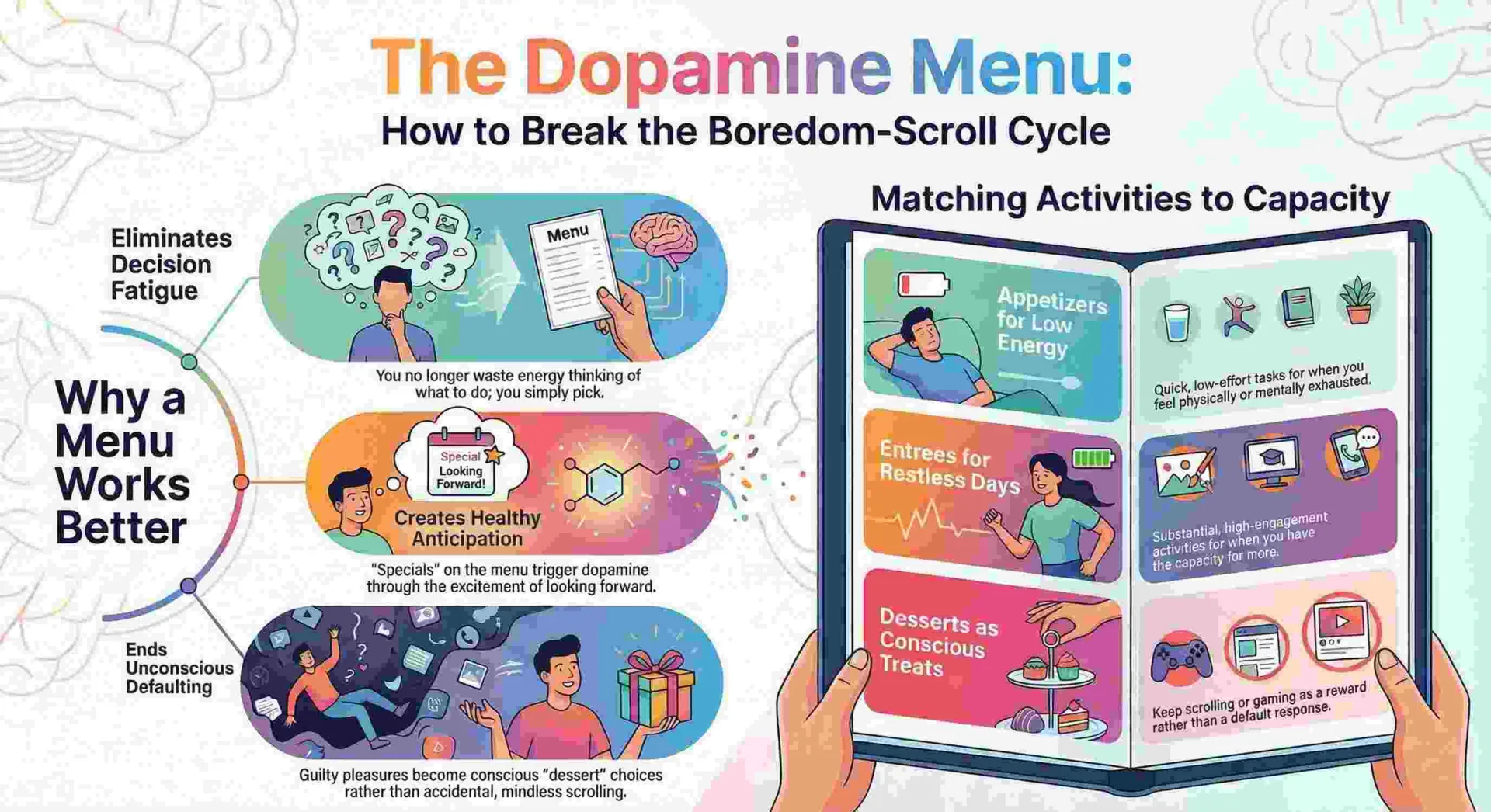
A dopamine menu fixes this by doing 3 things. First, it removes real-time decision-making. When you are bored, your prefrontal cortex — the part of your brain that makes decisions — is at its lowest capacity. Asking a bored brain to decide what to do is asking the least functional version of you to make the most consequential choice of your afternoon. The dopamine menu pre-makes the decision. Second, it organizes activities by effort level, so you can match your current energy to the right activity without overthinking. Third, it makes healthy dopamine sources visible and accessible, which reduces the gravitational pull of your phone.
Eric Tivers, LCSW, and host of the ADHD reWired podcast, describes the dopamine menu as “planning versus choosing.” When you plan your options in advance, you bypass the decision fatigue that sends you back to scrolling. The menu does not require willpower. It requires a list.
Why Most Dopamine Menu Guides Get It Wrong
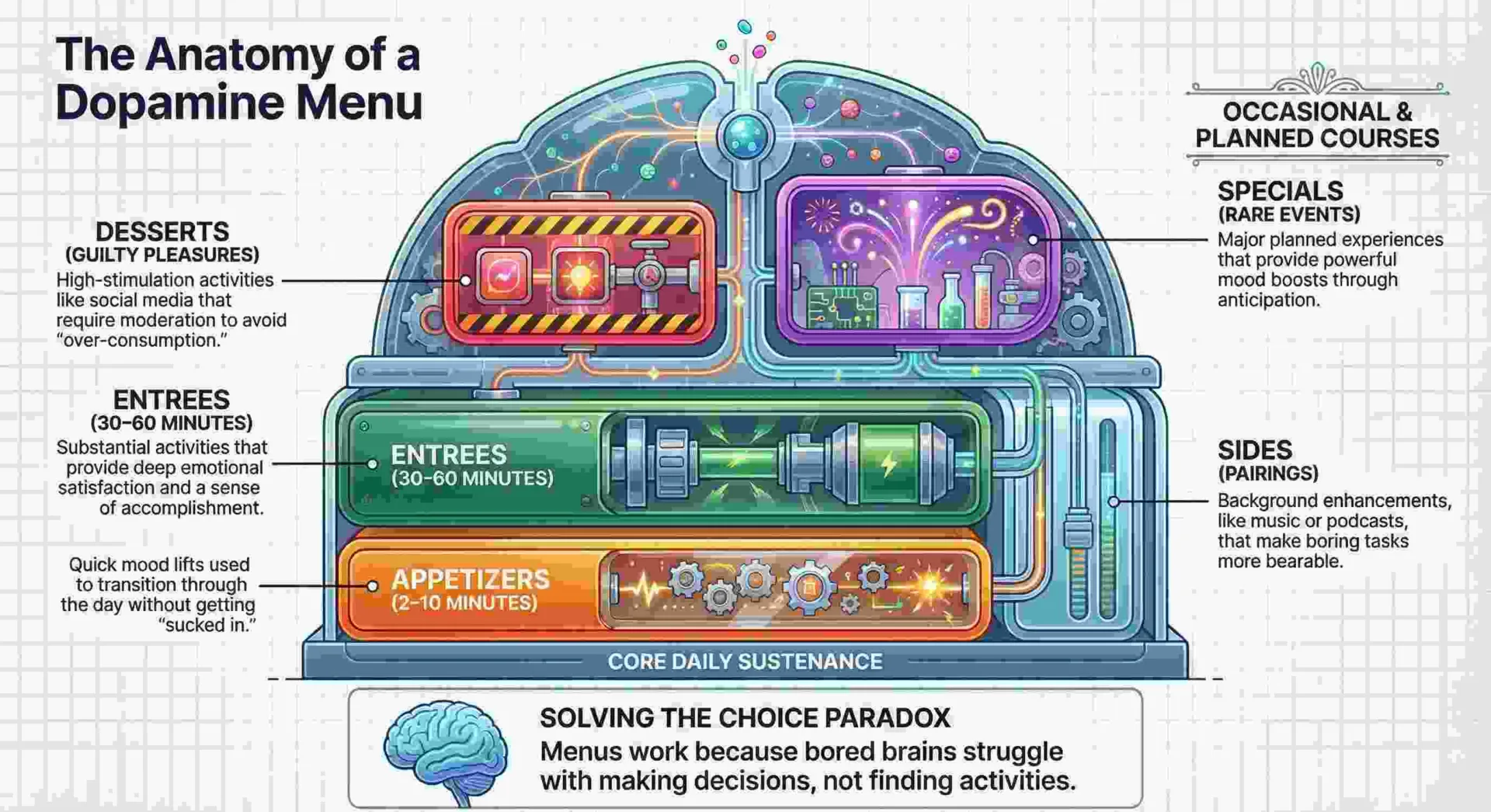
The standard dopamine menu uses a restaurant metaphor — appetizers, entrées, sides, desserts — and it fails for 3 specific reasons.
Every dopamine menu guide you have read (ADDitude Magazine, Unplugged, UBC Science, Extension.org) uses the same framework: Appetizers are quick, easy activities. Entrées are time-consuming, deeply engaging activities. Sides are activities you pair with boring tasks to make them bearable. Desserts are high-dopamine activities you should not overdo. The metaphor is clever. The problem is that it does not match how boredom actually works.
Problem 1: Boredom is not hunger. The restaurant metaphor assumes you progress from appetizer to main course. Boredom does not work that way. Sometimes you need a 2-minute reset. Sometimes you need a 2-hour project. Sometimes you need movement. Sometimes you need stillness. The restaurant metaphor forces a linear progression that real boredom does not follow.
Problem 2: The “dessert” category normalizes guilt. Framing certain activities as “desserts you should not overdo” introduces a shame dynamic that makes the menu feel like a diet plan. A dopamine menu should feel like freedom, not restriction. If watching a show for an hour is what your brain needs, it does not belong in a guilt category.
Problem 3: It ignores the body. Most dopamine menu templates list only mental and creative activities. They forget that physical movement is the single fastest dopamine boost available — faster than any app, any craft, any creative project. A dopamine menu without a movement category is incomplete.
The framework below fixes all 3 problems.
The 5-Lane Dopamine Menu — A Better Framework
Instead of a restaurant metaphor, build your dopamine menu as 5 parallel lanes, each addressing a different type of dopamine need. You do not progress through them. You choose the lane that matches your current state.
| Lane | What It Addresses | Time Range | Example Activities |
| Move | Body is restless, stiff, or vibrating with energy. Need physical dopamine. | 2–30 min | Dance to 1 song, jumping jacks (60 sec), walk with no headphones, yoga pose sequence, HIIT class (YouTube), cold water blast on face |
| Make | Hands want a project. Brain wants to produce, not consume. | 10–60 min | Origami, journaling, cook a recipe, sketch, build something, write 100-word story, start a blog post, needlepoint, crochet |
| Learn | Brain is hungry for input. Want stimulation, not entertainment. | 5–30 min | Duolingo lesson, crossword puzzle, YouTube tutorial, Wikipedia rabbit hole, podcast episode, read 20 pages |
| Connect | Lonely or disconnected. Need human interaction, not solo activity. | 5–30 min | Call someone, text a friend, body doubling (work alongside someone on video), visit a neighbor, write a letter |
| Rest | Low energy. Need recovery, not stimulation. Boredom is actually exhaustion in disguise. | 5–60 min | Bubble bath, ASMR video, audiobook (cozy mysteries), instrumental music, lie on floor for 5 min, set up bird feeder and watch |
The 5-lane system works because boredom is not one thing. It is at least 5 things wearing the same label. The lane system diagnoses the real need before prescribing an activity. A bored person who chooses “Make” when their body needs “Move” will stay bored. A bored person who chooses “Learn” when they actually need “Connect” will stay lonely. The diagnosis matters as much as the activity.
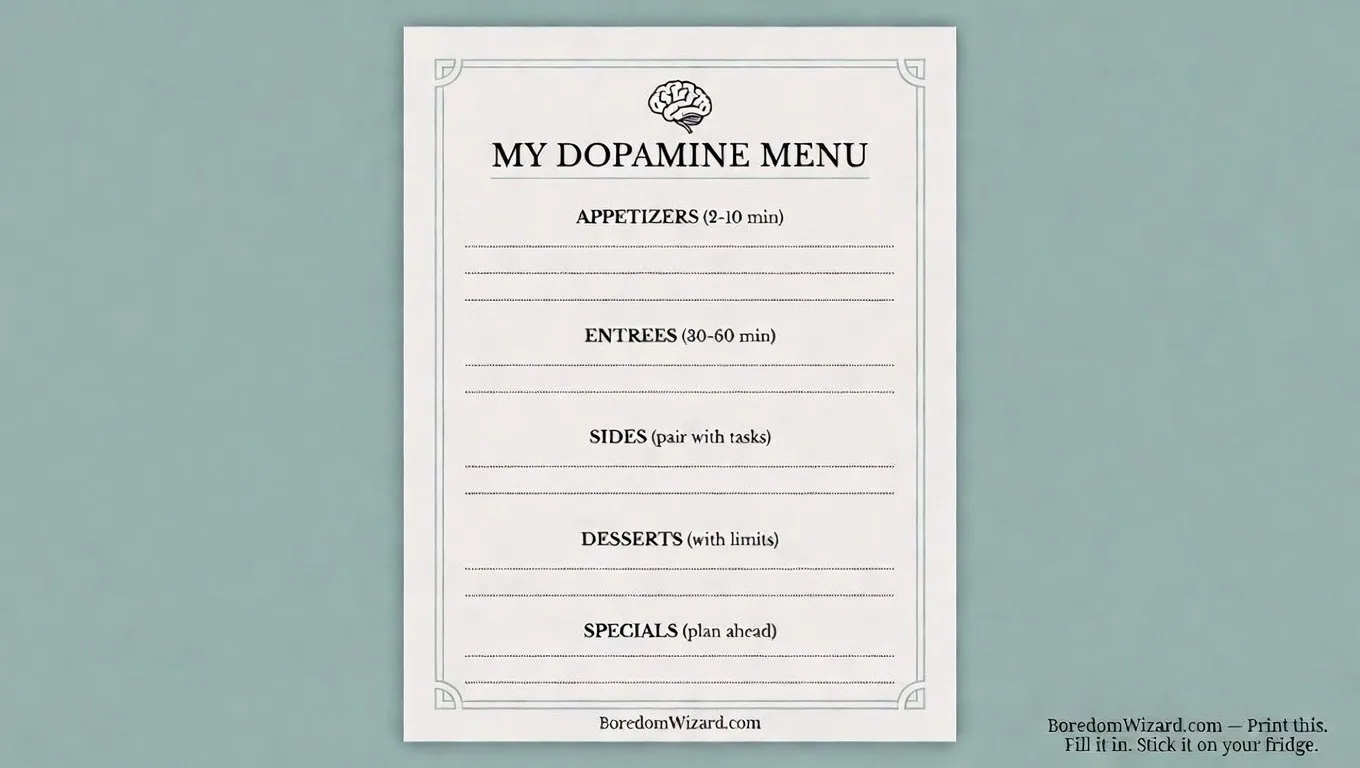
How to Build Your Dopamine Menu in 30 Minutes — Step by Step
Follow these 5 steps. By the end, you will have a personalized dopamine menu ready to use the next time boredom hits.
Step 1: Get a Physical Piece of Paper (Not a Phone App)
Write your dopamine menu on paper and put it somewhere visible — your fridge, your desk, your bathroom mirror. A dopamine menu on your phone defeats the purpose because your phone is the problem.
The entire point of a dopamine menu is to give you an alternative to opening your phone. If the menu is on your phone, you open the phone to access it, and the phone pulls you into the scroll before you reach the menu. Write it on paper. Pin it to a wall. Make it visible without a screen. Jessica McCabe from How to ADHD specifically recommends a physical menu because the act of looking at a piece of paper engages a different neural pathway than looking at a screen — it breaks the phone-hand-scroll loop.
Step 2: Draw 5 Columns and Label Them — Move, Make, Learn, Connect, Rest
Create 5 vertical columns on your paper. Label each one with a lane name. These 5 categories cover every type of dopamine need your brain will generate.
Move — for physical dopamine. Make — for creative dopamine. Learn — for intellectual dopamine. Connect — for social dopamine. Rest — for recovery dopamine. The 5 columns sit side by side, not in a sequence. You do not start at Move and end at Rest. You scan all 5 and pick the one that matches your current state. The parallel layout is the structural difference from the restaurant metaphor: it does not prescribe an order. It offers options.
Step 3: Fill Each Column With 5 to 8 Activities You Genuinely Enjoy
Under each column, write 5 to 8 activities that you have done before and that you know produce a genuine mood shift for you personally. Do not list activities you think you should enjoy. List activities you actually enjoy.
This is where most dopamine menus fail. People fill them with aspirational activities: “meditate for 20 minutes,” “run 3 miles,” “read a challenging book.” Those might be good for you, but if you do not enjoy them, you will not choose them when you are bored. The menu needs to contain activities that your brain finds genuinely rewarding — not activities that a wellness blog told you to try. If watching a Rivian off-road video on YouTube for 10 minutes makes you feel good, put it on the menu. If playing Geometry Dash for 15 minutes resets your brain, put it on the menu. If making coffee with full attention for 3 minutes shifts your mood, put it on the menu. Honesty is the only requirement.
Here is a starter list of activities organized by lane. Use it as inspiration, not as a prescription. Your menu should contain YOUR activities, not someone else’s.
Move Lane — Example Activities
| Activity | Time | Effort |
| Dance to 1 full song, door closed | 3 min | Low |
| 60 seconds of jumping jacks | 1 min | Low |
| Walk around the block with no headphones | 10 min | Low |
| 3 yoga poses (YouTube: Yoga with Adriene) | 5 min | Low |
| Cold water blast on face or hands | 30 sec | Low |
| 20 bodyweight squats next to your desk | 2 min | Low |
| Full 15-min YouTube HIIT class | 15 min | Medium |
| Stretch every major muscle using a doorframe | 3 min | Low |
If you want a full library of movement options, our guide on exercises to do when bored has 20 exercises organized by energy level — including couch-level, desk-level, and standing options.
Make Lane — Example Activities
| Activity | Time | Effort |
| Write a 100-word micro fiction story | 10 min | Low |
| Fold origami from junk mail | 8 min | Low |
| Cook one new recipe from pantry staples | 30–60 min | Medium |
| Start a journal entry — no prompt, just write | 10 min | Low |
| Draw or sketch something in front of you | 15 min | Low |
| Crochet, needlepoint, or knit 10 rows | 15 min | Low |
| Build a jigsaw puzzle section (edge pieces only) | 20 min | Low |
| Write a haiku about something boring | 3 min | Low |
If creative activities interest you, our guide on things to do when bored by yourself has 30 solo creative projects. And our guide on things to cook when bored has kitchen-specific ideas.
Learn Lane — Example Activities
| Activity | Time | Effort |
| One Duolingo lesson | 8 min | Low |
| Solve one crossword puzzle | 10–20 min | Low |
| Read 20 pages of a book | 15 min | Low |
| Watch one YouTube tutorial on a skill | 10 min | Low |
| Listen to one podcast episode with notes | 20–40 min | Low |
| Wikipedia “Random article” — read 3 fully | 15 min | Low |
| Complete one module on Coursera (free audit) | 20 min | Medium |
| Memorize 5 keyboard shortcuts for your daily software | 5 min | Low |
If learning is your primary dopamine source, our guide on things to do when bored for adults has professional development activities, and our guide on things to do when bored on computer has screen-based learning options.
Connect Lane — Example Activities
| Activity | Time | Effort |
| Call a friend or family member (not text — call) | 10 min | Low |
| Text 3 people a genuine compliment or check-in | 5 min | Low |
| Body doubling: video call a friend and work silently together | 30–60 min | Low |
| Write and send a handwritten letter | 15 min | Low |
| Visit a neighbor or friend in person | 20–60 min | Medium |
| Join a Discord or Reddit community and post one comment | 5 min | Low |
| Invite someone over for a board game (Settlers of Catan, Monopoly) | 1–2 hrs | Medium |
| Attend a free local event or library program | 1–2 hrs | Medium |
If social connection is what you need most, our guide on things to do when bored with friends has group activities, and our guide on things to do when bored and lonely addresses the specific overlap between boredom and isolation.
Rest Lane — Example Activities
| Activity | Time | Effort |
| Take a bubble bath with whatever is under the sink | 20–30 min | Low |
| Watch one ASMR video (autonomous sensory meridian response) | 10 min | Low |
| Listen to an audiobook (cozy mysteries work well) | 20–40 min | Low |
| Play instrumental music and lie on the floor for 5 minutes | 5 min | Low |
| Set up a bird feeder outside a window and watch | 15 min | Low |
| Light a candle and sit with coffee or tea — no phone | 10 min | Low |
| Watch one episode of a comfort show on Netflix | 25–45 min | Low |
| Guided meditation video on YouTube (5 or 10 minutes) | 5–10 min | Low |
If rest and recovery are what your brain needs, our guide on things to do when tired and bored covers the specific intersection of fatigue and restlessness. And if the exhaustion comes with emotional weight, our guide on things to do when feeling depressed and bored addresses that overlap.
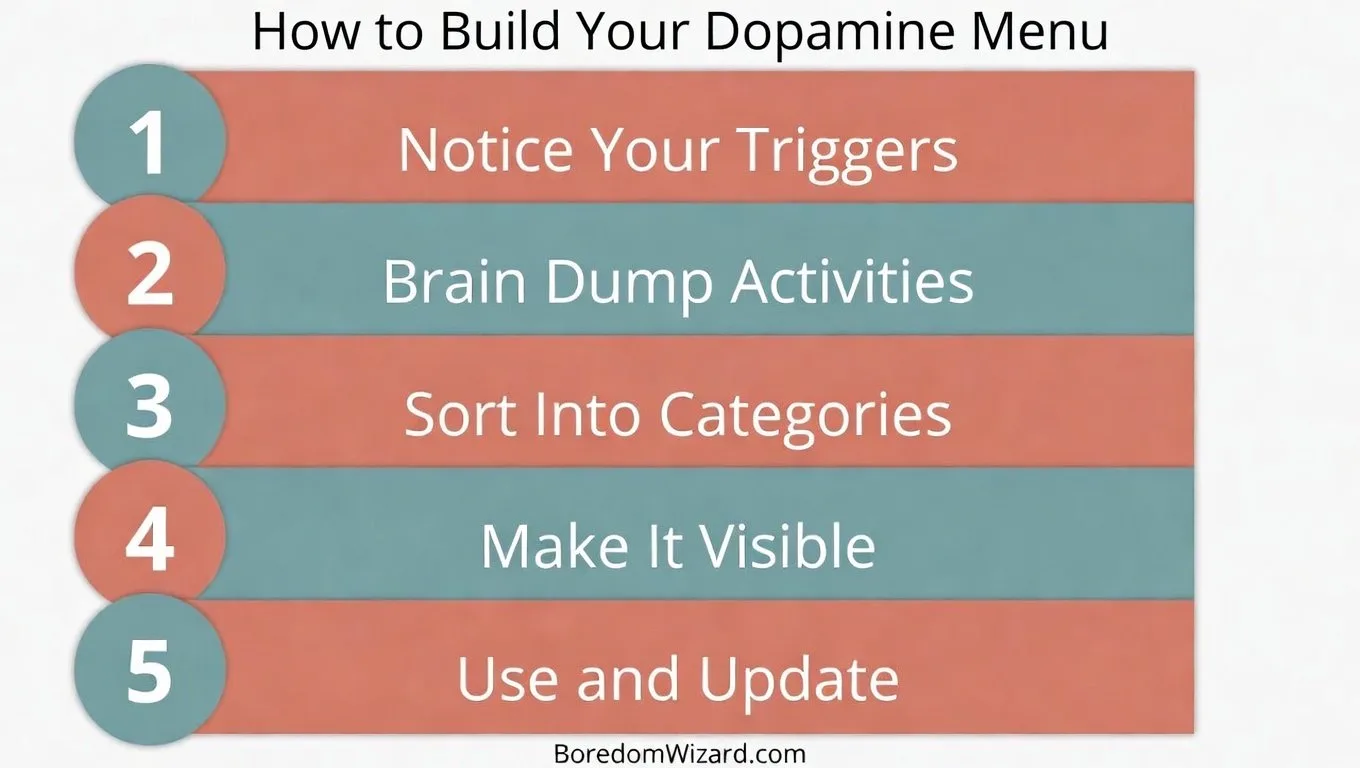
Step 4: Add Time Estimates to Every Activity
Next to each activity, write how long it takes. This is the single most important detail on your menu because it matches available time to the right activity without requiring calculation.
When you are bored and consult your menu, the first filter is time. You have 5 minutes between meetings? Scan for activities marked “5 min.” You have an empty hour? Scan for activities marked “30–60 min.” The time estimates eliminate the friction of estimating whether an activity “fits” and let you choose instantly. Without time estimates, you will default to scrolling because scrolling has no time commitment. Your menu needs to compete with that frictionlessness.
Step 5: Put the Menu Where You Will See It Before You Open Your Phone
Pin the menu to the wall next to your desk, tape it to your fridge, put it in the bathroom, or photograph it and set it as your phone’s lock screen wallpaper.
The placement matters more than the content. A beautiful, detailed dopamine menu that lives in a notebook you never open is useless. A messy, handwritten dopamine menu taped to the wall above your couch — the spot where you usually reach for your phone — is transformative. The menu must intercept you at the moment of boredom, before your hand reaches the phone. Pin it where boredom happens. That is the whole strategy.
Natty’s take:
I give every coaching client a version of this exercise. The first reaction is always the same: “This is too simple.” And it is simple. But simple is not the same as easy. The hard part is not building the menu. The hard part is consulting it instead of your phone the first 5 times. After that, the habit takes over. The menu becomes the reflex. The phone stops being the default. I have seen this shift happen in clients who are CEOs and clients who are 16 years old. The mechanism is identical. The menu works because it makes the better choice the easier choice.
5 Common Dopamine Menu Mistakes (and How to Avoid Them)
Mistake 1: Filling the Menu With Activities You Think You Should Do
If you do not genuinely enjoy meditating, do not put it on the menu. The menu only works if every activity on it produces real dopamine for your specific brain. Aspirational activities belong on a goals list, not a dopamine menu. Ellen Littman, a psychologist specializing in ADHD, emphasizes that dopamine-deficient brains need activities that are personally rewarding, not generically recommended. Your menu, your activities, your dopamine.
Mistake 2: Making the Menu Digital
A dopamine menu on your phone is a dopamine trap with a label. You open the phone to check the menu. A notification appears. You tap it. 20 minutes later you are scrolling Instagram and you forgot the menu existed. Physical menus — paper, pinned to walls — bypass the phone entirely. This is non-negotiable for people whose boredom problem is screen-related.
Mistake 3: Not Including a Movement Category
Physical movement is the fastest dopamine boost available to your brain, and most dopamine menu templates leave it out entirely. 60 seconds of jumping jacks produces more dopamine than 10 minutes of scrolling. A 3-minute dance produces more than 30 minutes of Netflix. If your menu does not have a Move lane, it is missing its most powerful tool. If you want a full library of movement options, our guide on exercises to do when bored has 20 exercises including 30-second, 1-minute, and 5-minute options.
Mistake 4: Making the Menu Too Long
A dopamine menu with 50 activities creates the same decision fatigue it is supposed to solve. 5 to 8 activities per lane is the sweet spot: enough variety to match different moods, few enough to choose from in under 10 seconds. If scanning your menu takes longer than opening TikTok, the menu loses. Keep it tight.
Mistake 5: Not Updating the Menu Every 30 Days
Your dopamine responses change over time. An activity that felt rewarding in January may feel flat by March. Review your menu monthly. Remove activities that have stopped working. Add new ones that interest you. The menu is a living document, not a permanent poster. Melanie Wolkoff Wachsman at ADDitude Magazine recommends seasonal menu updates to match energy shifts across the year. A winter dopamine menu should look different from a summer one. If you want seasonal activity ideas, our guide on things to do when bored in spring has spring-specific options.
Dopamine Menus for ADHD Brains — What Is Different
If you have ADHD, a dopamine menu is not optional. It is a clinical-grade behavioral tool that addresses the specific neurological deficit your brain is working around.
ADHD brains produce less dopamine than neurotypical brains. This means the baseline level of reward your brain registers from normal activities is lower, which makes boredom feel more intense, more frequent, and more urgent. The default response — scrolling, snacking, impulse buying, starting and abandoning projects — is your brain desperately seeking dopamine from any available source. A dopamine menu channels that seeking behavior toward healthy dopamine sources before the unhealthy ones take over.
Jessica McCabe from How to ADHD recommends adding an additional filter for ADHD brains: novelty. ADHD brains crave novelty more than neurotypical brains, which means an activity that worked last week may not work this week simply because it is no longer new. Rotate your menu activities more frequently. Add a “Wild Card” row at the bottom of each lane with one activity you have never tried. The novelty of the untried activity provides a dopamine bonus that familiar activities do not.
Rejection Sensitive Dysphoria (RSD) — a common ADHD experience — can make the Connect lane feel risky. If social interaction triggers anxiety about rejection, modify the Connect lane to include low-risk options: texting instead of calling, body doubling instead of conversation, attending an event as a spectator instead of a participant. The lane still addresses social dopamine, but the risk level is calibrated to your comfort. If ADHD-specific boredom cures interest you, our guide on things to do when bored with ADHD covers the neurodivergent approach to activity selection, decision paralysis, and boredom management.
Your Blank Dopamine Menu Template — Print This and Fill It In
Copy this template onto a piece of paper or print this page. Fill in each lane with activities that are personally rewarding for you. Pin it where boredom happens.
| MOVE (Body) | MAKE (Hands) | LEARN (Brain) | CONNECT (People) | REST (Recovery) |
| 1. ___________ | 1. ___________ | 1. ___________ | 1. ___________ | 1. ___________ |
| 2. ___________ | 2. ___________ | 2. ___________ | 2. ___________ | 2. ___________ |
| 3. ___________ | 3. ___________ | 3. ___________ | 3. ___________ | 3. ___________ |
| 4. ___________ | 4. ___________ | 4. ___________ | 4. ___________ | 4. ___________ |
| 5. ___________ | 5. ___________ | 5. ___________ | 5. ___________ | 5. ___________ |
| 6. ___________ | 6. ___________ | 6. ___________ | 6. ___________ | 6. ___________ |
| Wild Card: ___ | Wild Card: ___ | Wild Card: ___ | Wild Card: ___ | Wild Card: ___ |
Instructions: Fill this in when you are NOT bored. Your non-bored brain makes better choices than your bored brain. That is the entire mechanism. The menu is a letter from your functional self to your bored self, saying: “Here is what to do. I already decided. Trust me.”
How to Use Your Dopamine Menu in Real Time
When boredom hits, follow this 4-step process. It takes under 30 seconds.
Step 1: Notice the boredom before you open your phone. The moment you feel the pull toward a screen, pause. That pause is the only willpower the menu requires.
Step 2: Scan your body and ask: what do I need right now? Am I restless (Move)? Do my hands want something (Make)? Is my brain hungry (Learn)? Am I lonely (Connect)? Am I exhausted (Rest)? The answer tells you which lane to scan.
Step 3: Look at the menu. Pick the first activity in that lane that feels doable. Do not overthink. Do not evaluate all options. Pick the first one that does not make you groan. Planning versus choosing — you already planned. Now you just choose.
Step 4: Set a timer for the activity’s duration and start. The timer creates a container. You are not committing to an open-ended activity. You are committing to 5 minutes, 10 minutes, or 20 minutes. The timer makes it finite, which makes it startable. After the timer rings, you can stop, continue, or choose a new activity from the menu. The boredom is almost always gone before the timer rings.
What Boredom Is Actually Telling You (and Why the Dopamine Menu Answers It)
Boredom is not the absence of things to do. Boredom is the absence of things to do that feel rewarding enough to start. Your brain has a threshold for activation — the minimum level of expected reward required to initiate an action — and chronic scrolling raises that threshold. Activities that used to clear the threshold (reading, cooking, walking, calling a friend) no longer register as “worth starting.” Your brain has been recalibrated by the infinite feed.
The dopamine menu lowers the threshold by doing 2 things. First, it removes the decision cost. Deciding what to do is itself a cost that your brain subtracts from the expected reward. If an activity would produce 5 units of reward but the decision to start it costs 3 units of effort, your brain only registers a net reward of 2 — below the threshold. The menu removes the 3-unit decision cost. The activity’s full reward is visible. The threshold is cleared.
Second, the menu diversifies your dopamine sources. If your only dopamine source is scrolling, your brain becomes dependent on that single input. The menu trains your brain to find reward across 5 different channels: movement, creation, learning, connection, and rest. Over time, the threshold lowers. Normal activities start feeling rewarding again. The scroll loses its grip. The menu is not a trick. It is a rehabilitation plan for a reward system that has been over-specialized by the attention economy.
If the boredom you are experiencing comes with persistent low mood, emotional heaviness, or hopelessness, it may be more than a dopamine deficit. Our guide on things to do when feeling depressed and bored addresses the overlap between boredom and depression. And if the boredom comes with anxiety or restlessness, our guide on things to do when bored and anxious covers that intersection. A dopamine menu is one tool. It is not the only tool. If you need more, reach for more.
Before you build your menu, find out what kind of bored you are; it changes which items belong on it.
More Boredom Wizard’s Guides
By Location: [Things to Do When Bored at Home: 50+ Creative Ideas That Actually Work] · [20 Things to Do When Bored in Your Room] · [20 Things to Do When Bored at Work] · [20 Things to Do When Bored at School] · [50 Things to Do When Bored in Class] · [20 Things to Do When Bored in a Waiting Room] · [25 Things to Do When Bored in a Car] · [30Things to Do When Bored on a Plane] · [30 Things to Do When Bored on Computer]
By Season: [50 Things to Do When Bored in Summer] · [50 Things to Do When Bored in Winter] · [30 Things to Do in Fall When Bored] · [20 Things to Do When Bored in Spring] · [50 Things to Do When Bored on a Rainy Day] · [52 Things to Do on a Snow Day When Bored] · [25 Things to Do When Bored During Holiday]
By Who You Are: [Things to Do When Bored for Adults] · [Things to Do When Bored for Teens] · [Things to Do When Bored for Kids] · [Things to Do When Bored: College Student Edition] · [Things to Do When Bored: Stay-at-Home Mom Edition] · [Things to Do When Bored After Retirement]
By Situation: [Things to Do When Bored by Yourself] · [Things to Do When Bored Alone] · [Things to Do When Bored with Friends] · [25 Things to Do at a Friend’s House] · [Things to Do at a Sleepover] · [50 Things to Do When Bored on Weekends] · [25 Things to Do When Bored at Night] · [37 Things to Do When Tired and Bored] · [20Productive Things to Do When Bored and Sick] · [49 Things to Do When Feeling Depressed and Bored] · [49 Things to Do Instead of Doomscrolling] · [29 Things to Do When Feeling Narcoleptic and Bored] · [37 Exercises to Do When Bored] · [53 Home Decor Ideas to Explore When Bored].[Books to read when bored].[Things to do cook when bored].[Fun things to do when bored].[Personal care products to explore when bored].[Tattoo ideas to explore when feeling bored and doomscrolling]. [Upcoming Car Models to explore when feeling bored].[Things to do when bored with no money]. [Things to do when bored with ADHD].[Things to do when bored after breakup]. [Things to do when bored working from home].[Things to do when bored on phone]. [Things to do when bored and anxious]. [Build a 30-Days Digital Detox Challenge].